 Takelight
 features
Step guide
A written guide from your clicks
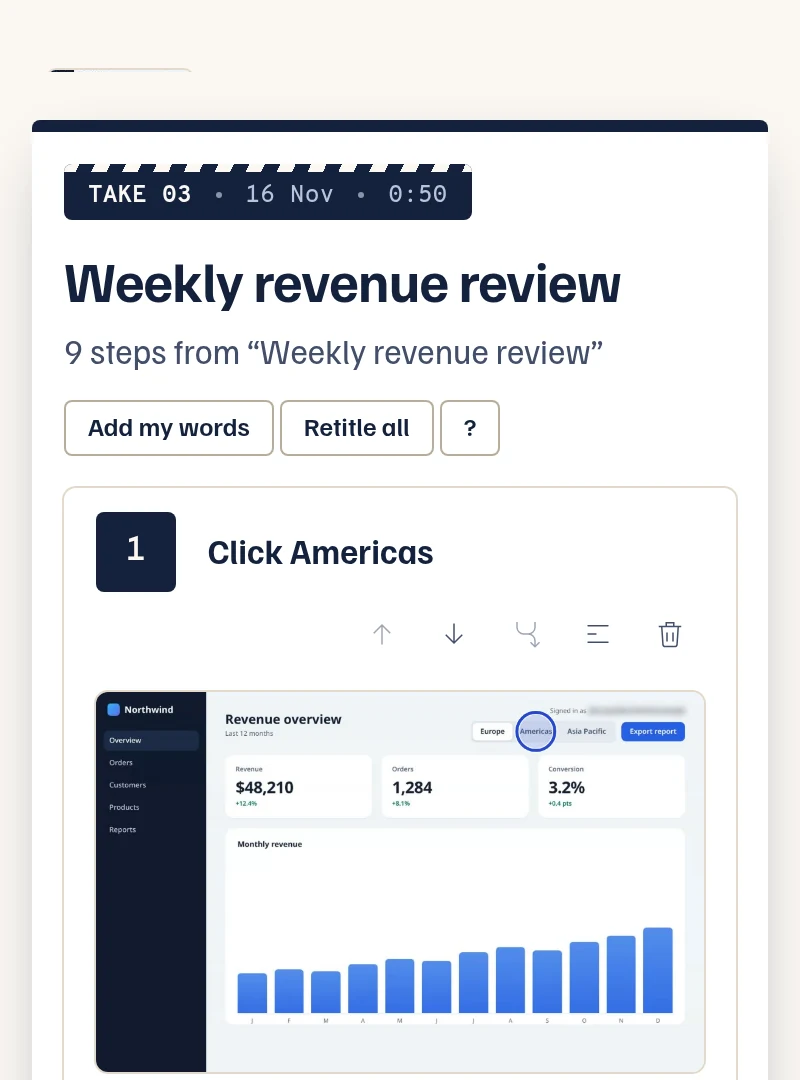
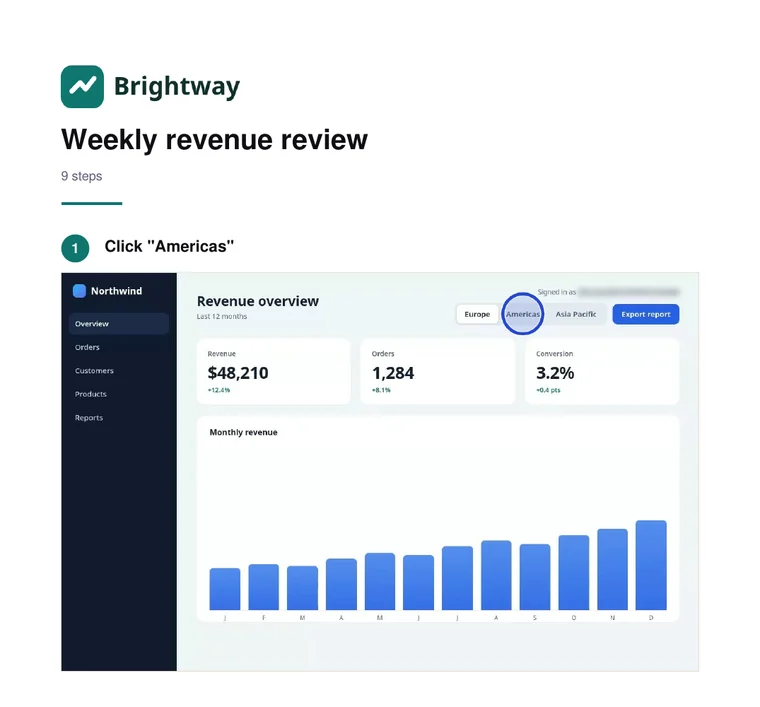
Press Start guide, click through the task, press Stop. Every click, typed field and page change becomes a step, with a screenshot and a title made from what you clicked.
Steps
- Titles such as Click Save, Type in Email and Go to example.com/billing. What you type is never read or kept
- Edit titles, merge or delete steps, and drag them into order
- Add a step from a chosen picture, with its own title
- Whole page button in the popup: adds the tab as one step, up to 8000 px tall, private fields hidden; a step warns when private fields or text may still be visible
- Retake one step of a video guidePro
Pictures
- Crop, zoom, box, arrow, blur and text on every picture, with undo
- Move, resize, recolour and delete marks on a picture
- Password, email, phone and fields marked for card autofill are boxed out of the pictures; a step warns when private fields or text may still be visible
Copy, export and keep
- Copy up to 5 steps for Google Docs or Notion; Pro copies any length
- Export one HTML file
- Export Markdown with an images folder as a zipPro
- Export a Word file or a PDFPro
- Export a PowerPoint file, one slide for each stepPro
- Export a SCORM package for a learning management systemPro
- Handbook: several guides as one PDF or Word filePro
- Guides in other languagesPro
- Your logo on every step picture, and your accent colour and footer on guidesPro
- Free keeps ten guides, Pro keeps any number

Captions on every recording
Captions made where the recording is
A speech model ships inside the extension. There is nothing to download and no account, and the sound of your recording never leaves your computer.
- A transcript with timestamps, and .srt and .vtt files
- Captions burned into the exported video, word by word, in your colour, size and positionPro
- The language is detected, or you pick one of 26. Accuracy depends on how clear the sound is
- The first time, the model takes a moment to load
Video recording
Blur and click rings, drawn into the video
Start from the toolbar with Record this tab, and the recording follows your clicks. No picker, and the extension runs on no site until you start.
- Blur sensitive info: emails, phone numbers, IBANs, card numbers, API keys and password fields are blurred in the page itself, so they are blurred in the video. Alt+click (Option on a Mac) blurs or unblurs anything else. If some sensitive text cannot be blurred, Takelight pauses the recording and asks before it goes on
- A ring at every click
- The shortcut keys you press, shown on screen. Letters typed into fields are never shown or saved
- Alt+Shift+M adds a chapter, Alt+Shift+P pauses and Alt+Shift+S stops, while you record (Option+Shift on a Mac). Copy them as a YouTube list or download a WebVTT file
- A camera bubble in a corner of the video
- Tab or system audio where the browser offers it, and your microphone, mixed into one soundtrack
Video recording
Cut the recording in the same place
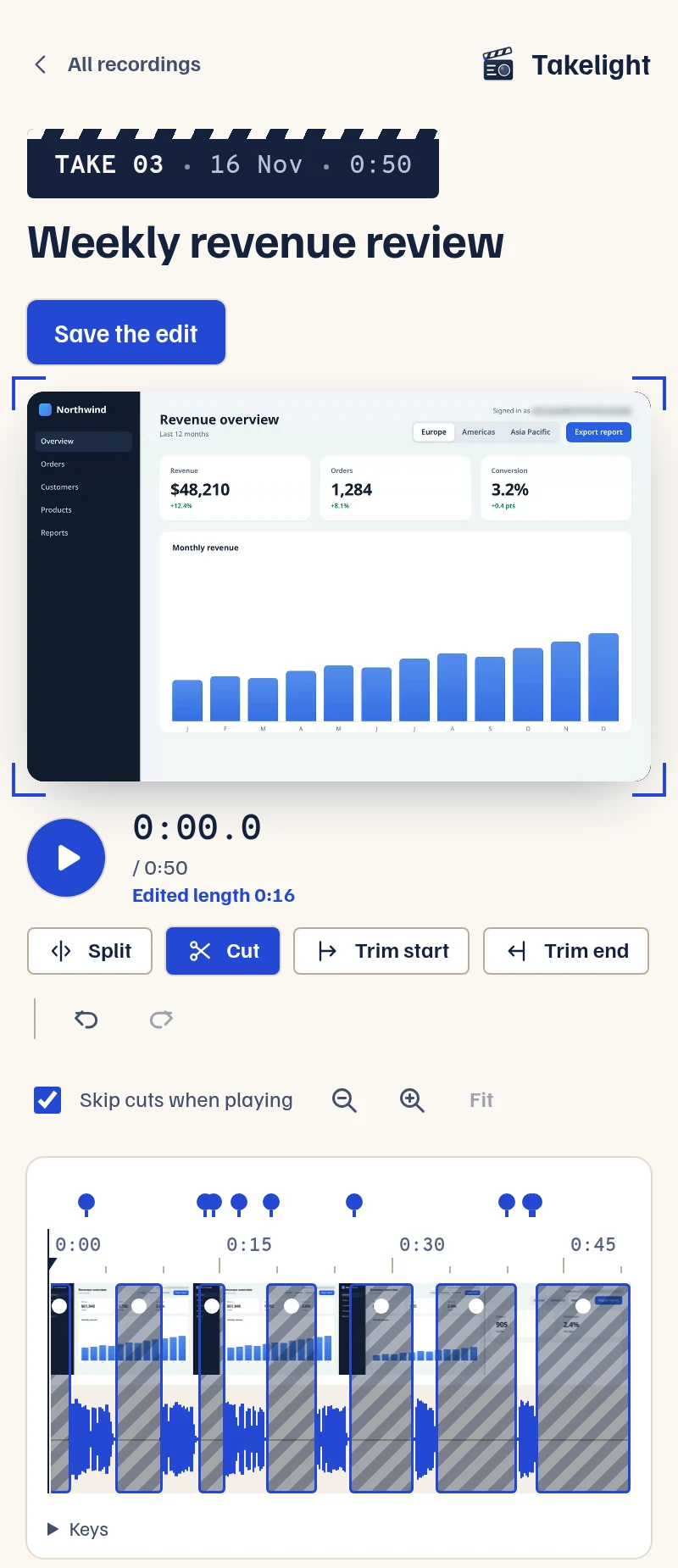
Press Edit on any recording. Saving makes a new recording and leaves the original alone.
- A filmstrip and a waveform. Drag to select, then split, cut or trim, undo, and preview with the cuts skipped
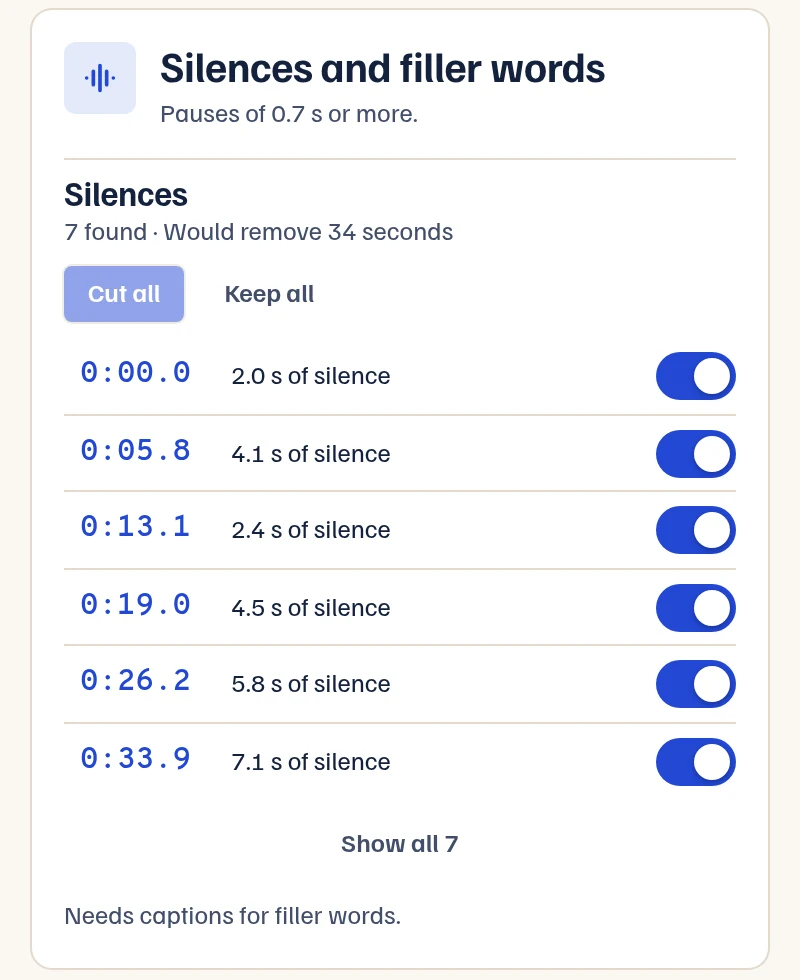
- Pauses of 0.7 seconds or more are marked on the timeline, and the ends can be trimmed
- Precise export lands every cut on the exact frame. Quick export copies the video without re-encoding and is almost instant
Video recording
Real MP4 files that stay on your computer
Takelight writes the video to disk as it records, so memory use stays flat on long recordings.
- H.264 video and AAC audio (Opus on Linux), with the index written at the end: seeking works in a browser, on a phone and in an editor
- No watermark. No sign-in
- If the tab closes, the browser crashes or the power goes, the next recorder page offers Recover last recording. The last few seconds may be missing
- A Library page to play, edit, rename, download and delete. Nothing is uploaded
